Most companies have an expense reimbursement process.
Many have policies.
Some have dedicated expense management software.
Yet for millions of employees, the process still begins the same way:
With a phone camera.
The Reality of Business Expenses
Imagine a typical business trip.
During three days of travel, an employee might collect receipts for:
- Hotels
- Restaurants
- Parking
- Taxis and rideshares
- Office supplies
- Airport transportation
None of these receipts arrive in one organized place.
Some are paper receipts.
Some are emailed invoices.
Some are PDFs.
Some are screenshots from mobile apps.
By the end of the trip, expense records are scattered across different apps, folders, and devices.
The Problem Isn't Reimbursement
Most companies already know how to reimburse employees.
The real problem happens before reimbursement.
Employees must first:
- Capture receipts
- Keep them organized
- Make sure nothing is missing
- Prepare documentation for submission
This sounds simple.
In reality, it often becomes a frustrating monthly task.
Many employees leave receipts in their phone photo gallery until the end of the month.
Others email receipts to themselves.
Some create folders in Google Drive or Dropbox.
Many still build expense reports manually in Excel.
When reimbursement time arrives, they spend hours searching for receipts they forgot about weeks earlier.
Why Receipts Get Lost
The problem is not usually negligence.
The problem is fragmentation.
A receipt received at lunch ends up in the camera roll.
A hotel invoice arrives by email.
A parking receipt becomes a PDF.
A rideshare receipt lives inside a mobile app.
Every receipt has a different format and location.
Over time, the collection becomes difficult to manage.
Many reimbursement delays happen simply because supporting documents are incomplete.
Even Companies With Expense Software Face This Issue
Large organizations often use expense management platforms.
However, employees still need a practical way to collect and organize receipts before submission.
Software can help approve expenses.
Software can help reimburse expenses.
But employees still need a process for handling receipts as they are generated throughout the month.
This is often the missing step.
A Simpler Approach
Instead of waiting until month-end, many employees are moving toward a receipt-first workflow.
The idea is simple:
Capture receipts immediately.
Review them while details are still fresh.
Keep everything organized in one place.
Then prepare an expense report when needed.
This reduces the risk of missing receipts and eliminates the last-minute scramble before submission deadlines.
What an Expense Submission Workflow Looks Like
Step 1: Capture and Review
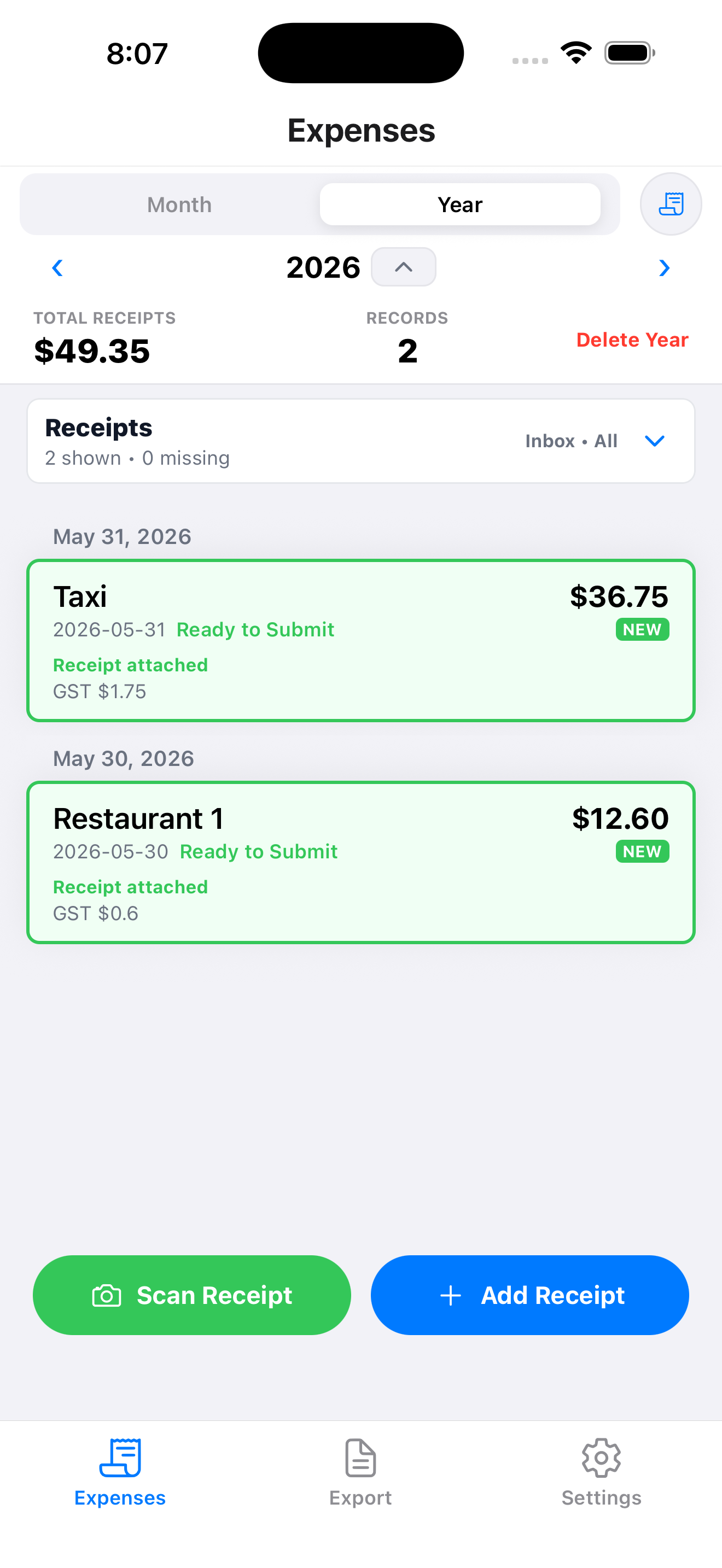
Take a photo of a receipt or upload a receipt image. In the MapleLedger app on iOS and Android, you can also choose Upload PDF to scan a PDF receipt or invoice. On Web, PDF files can still be attached as proof, but receipt scanning is currently image-only.
Review the amount, date, and tax information before saving. A PDF added inside a receipt form remains a manual attachment; use Upload PDF from Scan Receipt on iOS or Android when you want MapleLedger to prepare draft fields from the PDF.
Add any notes if required by company policy.
Step 2: Organize Receipts
Keep receipts together instead of scattering them across photos, emails, and folders.
Track which receipts are ready for submission and which still need attention.
Step 3: Export a Submission Package
When reimbursement time arrives, generate a package containing:
- Expense details
- Receipt attachments
- Supporting documentation
The package can then be submitted according to the employer's existing reimbursement process.
Why We Built MapleLedger's Expense Submission Workflow
Many expense tools focus on accounting, bookkeeping, or company-wide approval systems.
We wanted to solve a different problem.
The employee-side receipt organization problem.
MapleLedger's Expense Submission workflow is designed for people who simply need to:
- Capture receipts
- Review expenses
- Organize supporting documents
- Export a submission package
No accounting knowledge required.
No complex bookkeeping setup required.
Just a straightforward way to stay organized before reimbursement deadlines arrive.
Final Thoughts
Expense reimbursement is rarely difficult because of company policy.
It becomes difficult because receipts are scattered across different places long before reimbursement begins.
The sooner receipts are captured and organized, the easier the entire process becomes.
In 2026, most expense reports still start with a phone camera.
The difference is whether those receipts remain organized afterward.