Choose the workflow you need
Bookkeeping & Tax Tracking and Expense Submission stay separate, so reimbursement reports do not require full bookkeeping setup.
Two workflows, local-first records
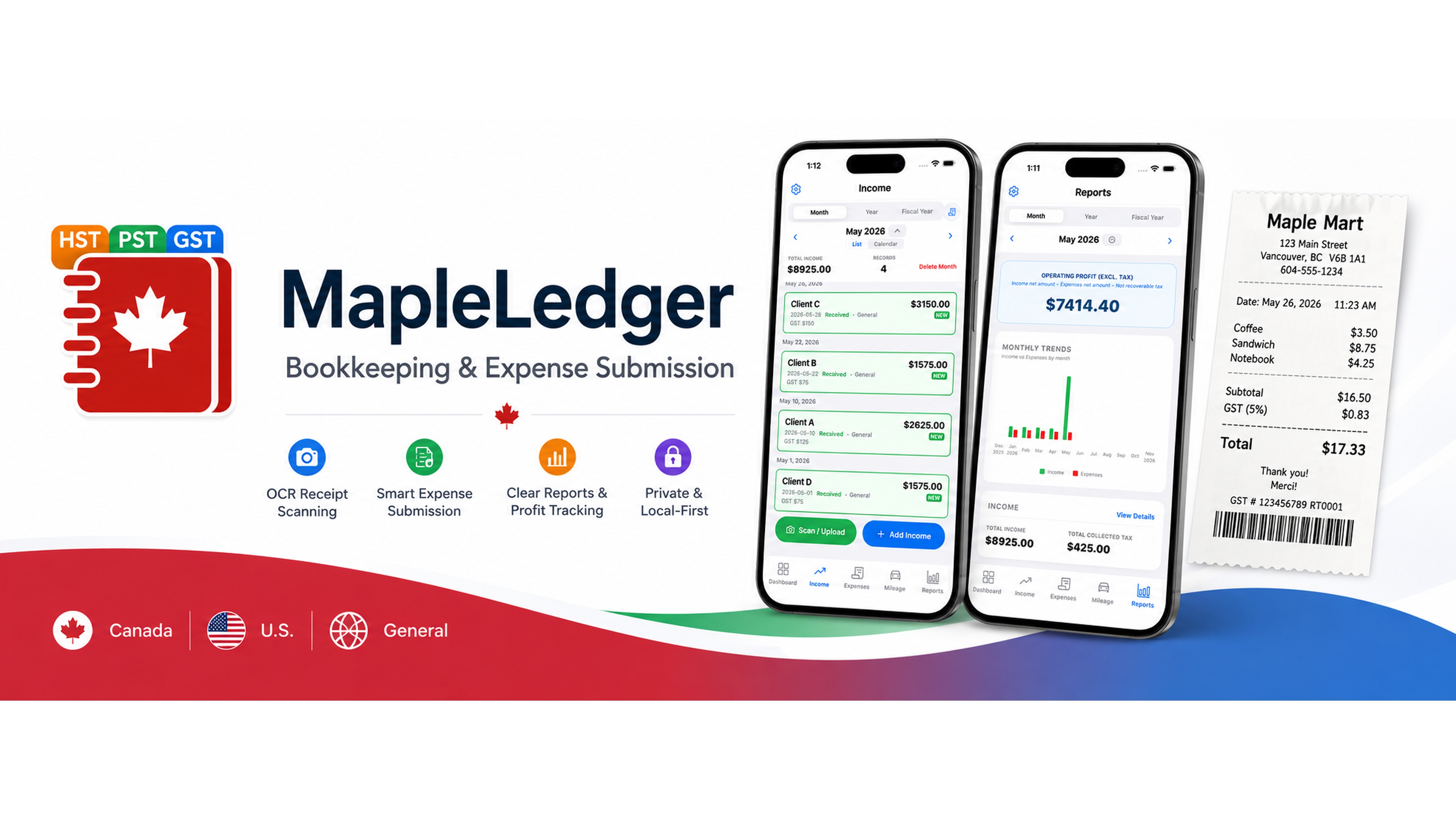
Use Bookkeeping & Tax Tracking for self-employed record keeping, or Expense Submission for reimbursement and travel expense reports. Saved app records stay local by default.
Web version is in beta. For the best mobile experience, use the iOS or Android app.
Your financial data stays on your device by default. You choose if and where to export or share it.
Why MapleLedger
Use MapleLedger for self-employed bookkeeping or simpler reimbursement and travel expense reports, while keeping saved app records local by default.
Bookkeeping & Tax Tracking and Expense Submission stay separate, so reimbursement reports do not require full bookkeeping setup.
Saved app records, saved receipts, and attachments stay on your device by default. Core record-keeping features can be used offline, and you choose when to export, share, or back up a copy.
Receipt and supported statement scanning helps prepare results, but it is not guaranteed to be perfect. Review important details before saving or exporting.
Workflow 1
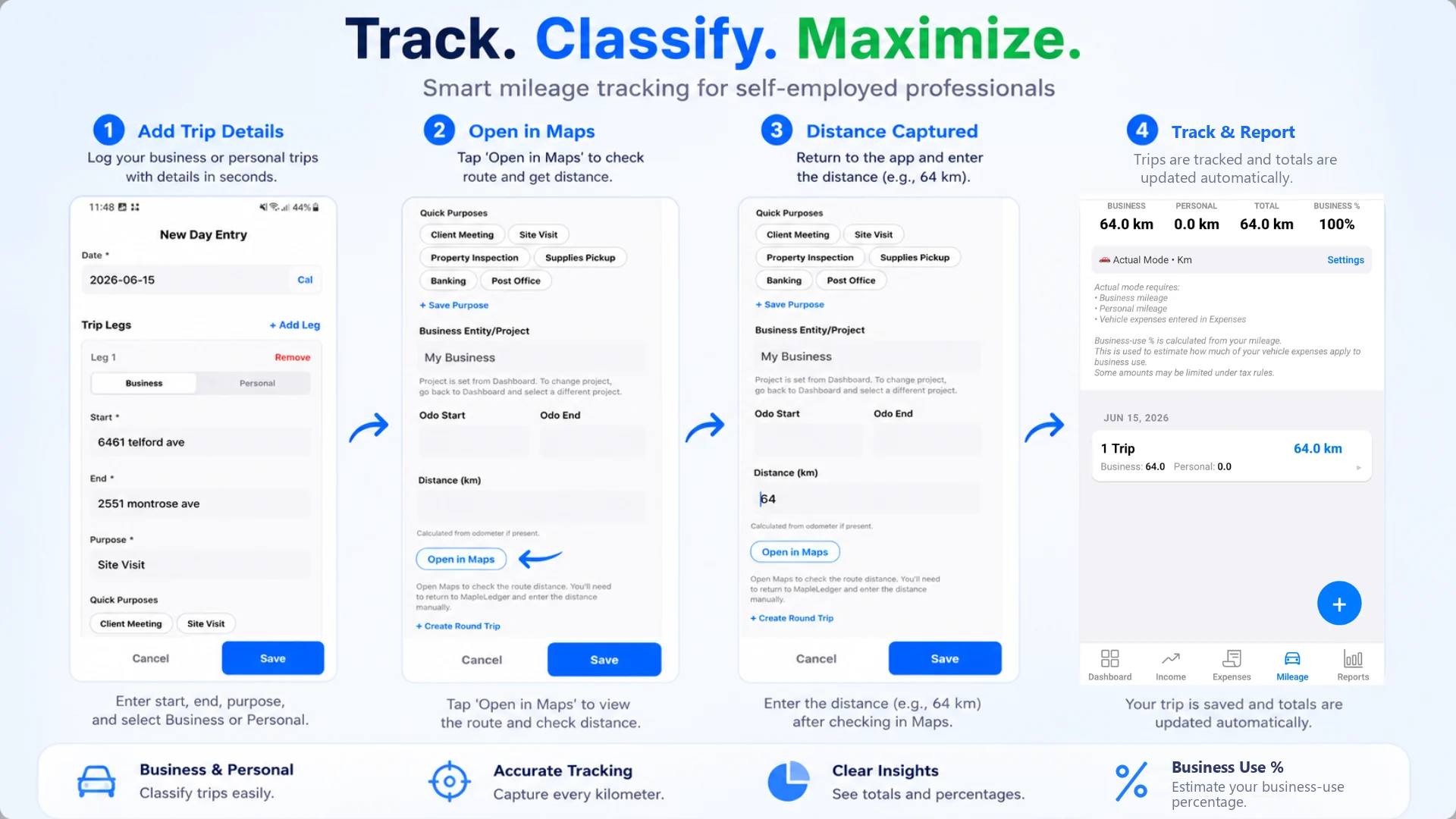
For self-employed users, contractors, landlords, and small businesses tracking income, expenses, mileage, receipts, reports, and exports.
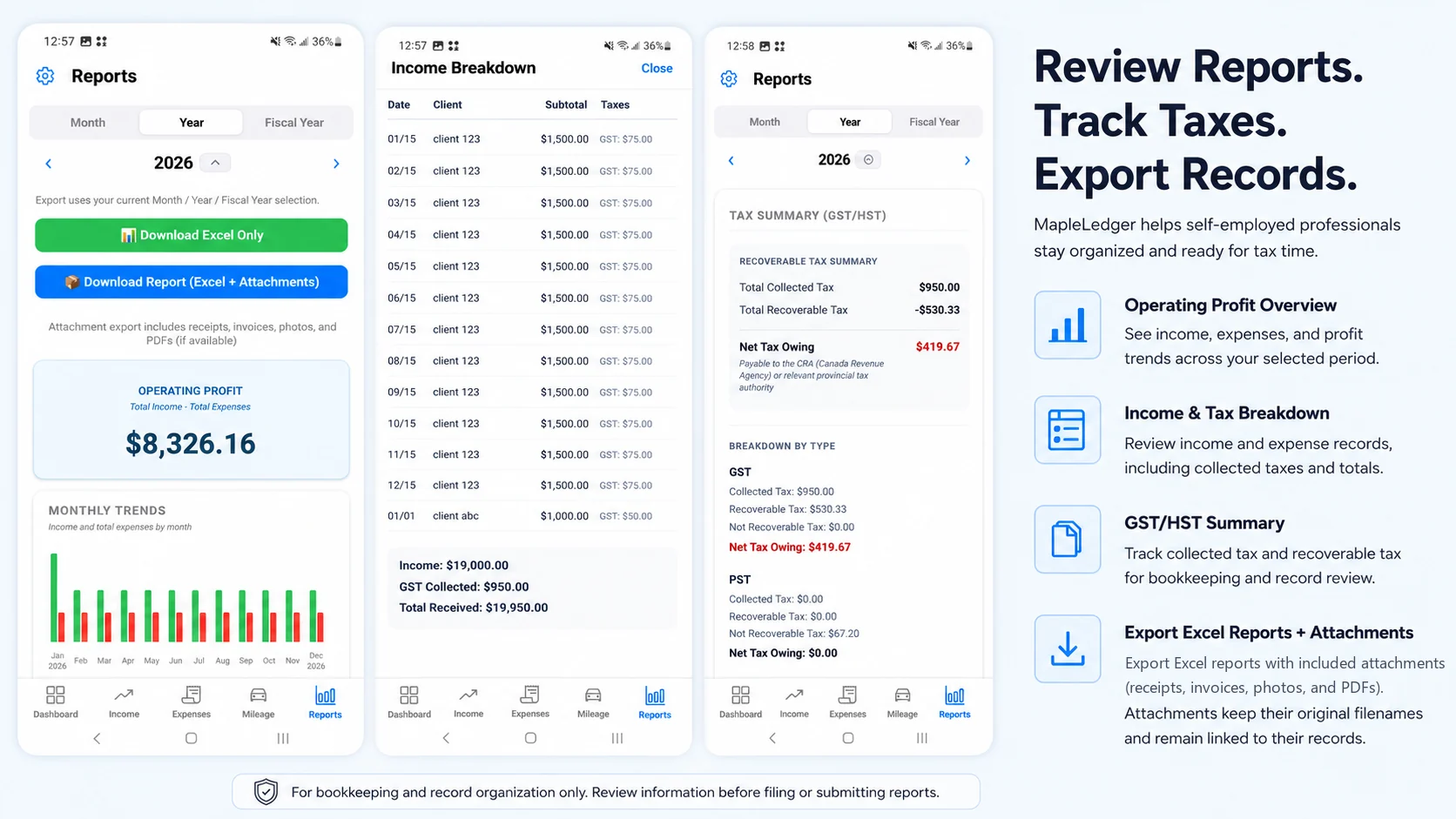
Workflow 2
For employees, consultants, and business travelers who need reimbursement reports. Capture receipts, review details, and export a shareable expense package when ready.
Workflow Choice
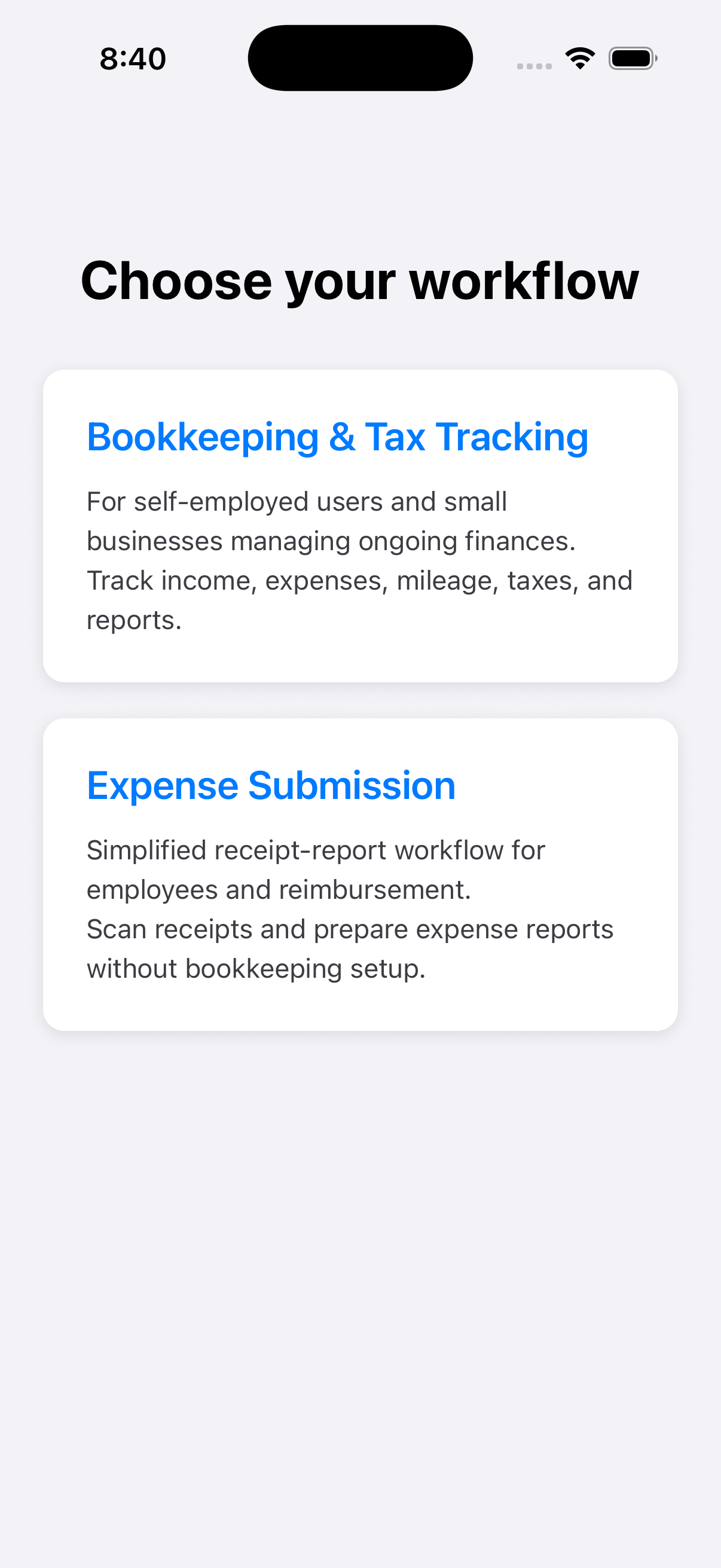
Choose Expense Submission
Receipts
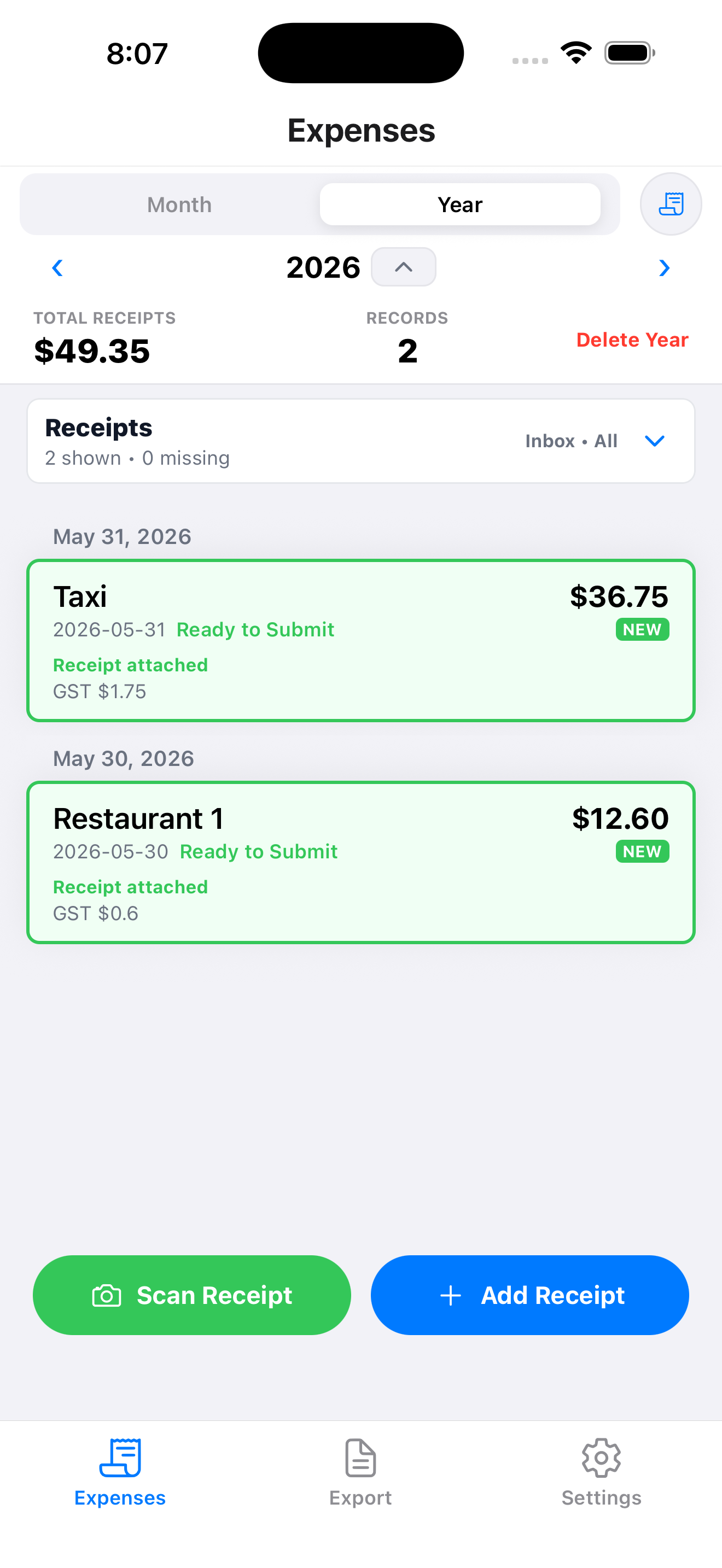
Capture and Review
Export
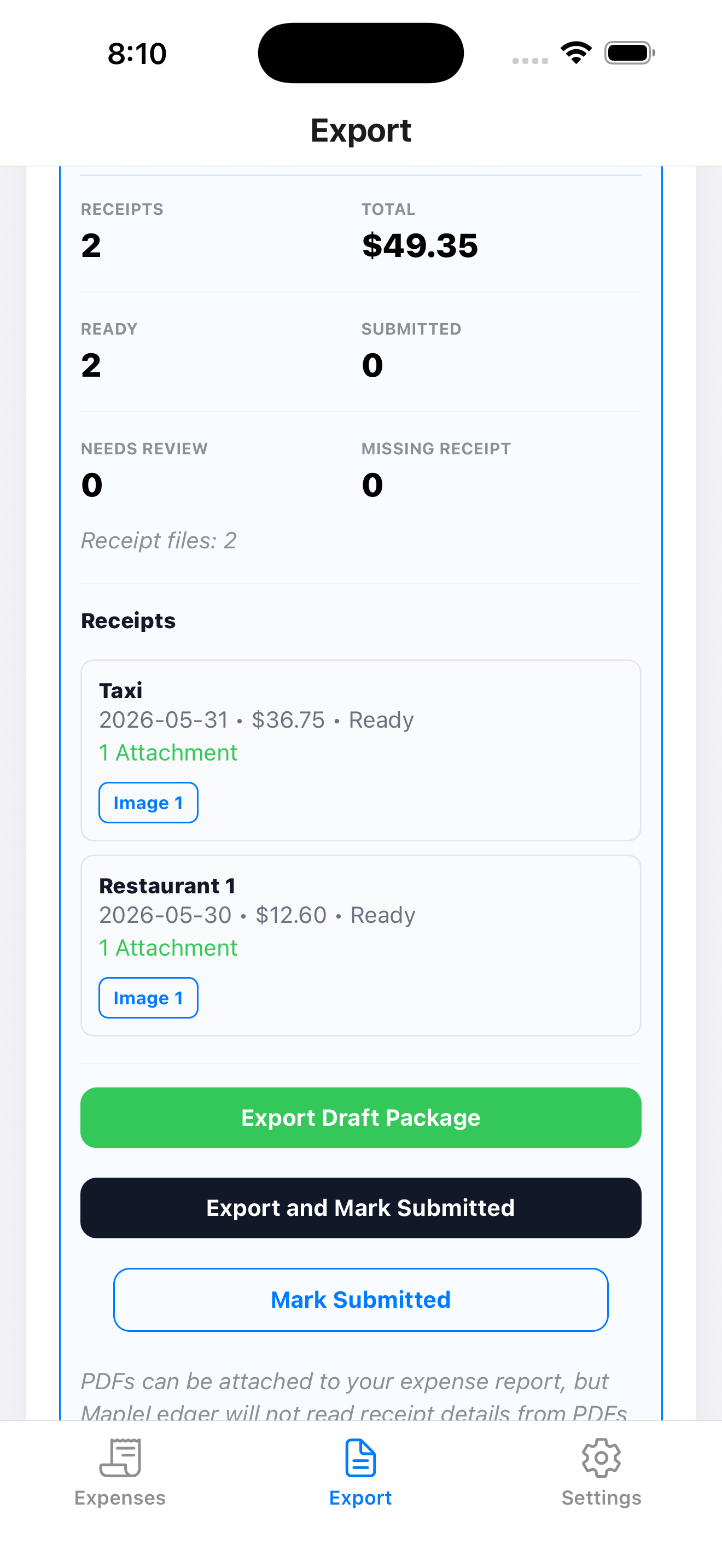
Export Package
Blog
A practical look at why many employee expense reports still begin with a phone camera.
Expense Submission
Learn why employee-side receipt capture and organization still matter before reimbursement begins.
Features
Choose the workflow that fits the job, review important details, and keep saved app records local by default.
Track income, expenses, mileage, projects, receipt attachments, reports, exports, and backups for self-employed record keeping.
Prepare reimbursement or travel expense reports by adding receipts, attaching proof, reviewing details, and exporting a shareable report.
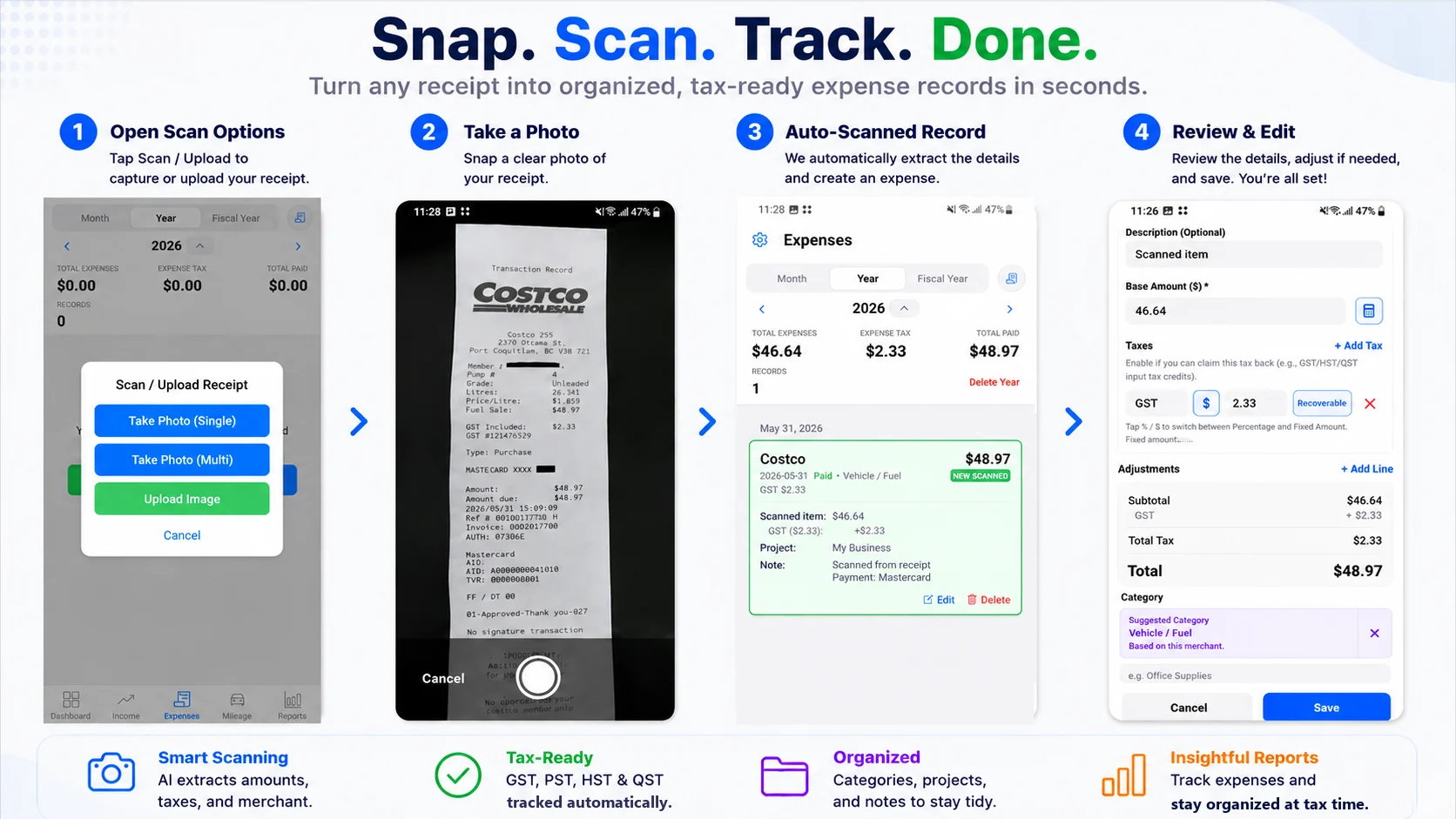
Starting with MapleLedger 1.4.3, receipt scanning is no longer limited to photos. On iOS and Android, upload a PDF receipt or invoice and scan it into a draft for review. Native iOS and Android Bookkeeping also supports Bank Statement scanning on Income and Expenses and Credit Card Statement scanning on Expenses, with review before saving. Version 1.5.0 supports text-based PDF Bank and Credit Card Statement scanning only; scanned PDFs, Statement photos and screenshots are excluded, while bounded native-text AI assistance is retained. Ordinary receipt photos and PDF Vision remain supported. Web receipt scanning is currently image-only; native Statement scanning is not available on Web.
Manual entry stays available, and you can attach receipts or proof files without treating every attachment as an OCR scan. On iOS and Android, saved PDF attachments can be previewed inside MapleLedger, and Open in Another App remains available. On Web, PDFs open through your browser.
Create exports and backups when you need a copy. MapleLedger does not provide automatic cloud sync for saved app records.
Free users may see banner ads, while Premium Lite and Premium add more scan and export access. Rewarded ads appear only when you choose a supported unlock.
Canada, United States, and General modes help align receipt and tax labels for review, without turning MapleLedger into tax filing software.
Privacy
Clear privacy basics for how MapleLedger handles your financial data.
MapleLedger stores your financial records locally on your device by default.
Core record-keeping features can be used offline.
Some optional features require an internet connection, including account sign-in, subscription verification, receipt and supported statement scanning, rewarded ads, and purchase/restore flows.
Saved app receipts and attachments stay local by default.
MapleLedger does not store your financial records on MapleLedger servers as part of normal app use.
Exports and backups are user-managed copies you choose to create.
Receipt and supported statement scanning is assistive and should be reviewed before you save, export, or submit.
You choose if and where to export or share your data.
FAQ
Short answers for people deciding whether MapleLedger fits their workflow.
MapleLedger is built for self-employed users, contractors, freelancers, small landlords, and small independent businesses using Bookkeeping & Tax Tracking. It also supports employees or workers who only need Expense Submission for reimbursement, travel, or work expense reports.
Yes. MapleLedger can be used for free, and manual entry has no manual-entry limit. In Bookkeeping & Tax Tracking, Free users can manually enter income, expenses, and mileage, use up to 2 Bookkeeping projects, attach receipts and files within app limits, and use limited receipt scanning where supported.
In Expense Submission, Free users can prepare and export or share expense reports. Where rewarded ads are supported, each free Expense Submission export can be unlocked with a rewarded ad. See Pricing or the User Guide for full export and backup details.
Free users may see banner ads. Rewarded ads appear only when you choose to unlock a supported action, such as extra scan credits or certain exports and downloads. MapleLedger does not use forced interstitial ads that unexpectedly cover the whole screen during normal use.
No. MapleLedger includes a dedicated Expense Submission workflow for reimbursement and travel expense reports. On iOS and Android, you can scan receipt photos, images, or uploaded PDFs when scan allowance is available. On Web, receipt scanning is currently image-only, while PDFs can still be attached as proof. Review the details, then use Export to package and share the report.
Expense Submission is simpler than Bookkeeping & Tax Tracking. Free users can keep exporting Expense Submission reports; where rewarded ads are supported, each free export is unlocked by watching a rewarded ad. Unlike Bookkeeping attachment exports, Expense Submission report exports do not use the yearly attachment-export allowance.
Yes. You can switch workflows later from Settings.
Switching workflows will erase local data because the two workflows use different data structures and backup formats.
Backups are tied to the workflow and region they were created in. To restore a backup, switch MapleLedger to the same workflow and region first.
Backups from a different workflow or region cannot currently be restored into your current workspace.
Choose the workflow that best matches your use case when getting started.
Yes. You can switch regions later from Settings.
Switching regions will erase local data because different regions use different tax labels, defaults, and backup formats.
Backups are tied to the workflow and region they were created in. To restore a backup, switch MapleLedger to the same workflow and region first.
Backups from a different workflow or region cannot currently be restored into your current workspace.
Attachment-inclusive exports and backups are considered advanced features. Free users can create up to 4 attachment-inclusive exports or backups per year, while Premium Lite and Premium include unlimited attachment exports and backups.
On the Free plan, both conditions must be met: you must have remaining yearly allowance, and you must complete a rewarded ad confirmation on supported platforms.
This allowance applies only to the Bookkeeping & Tax Tracking workflow. Expense Submission exports are not subject to the yearly attachment-export allowance.
Spreadsheet-only exports and records-only backups are not affected.
To keep the free version available while supporting ongoing development, attachment-inclusive exports and backups are limited on the Free plan.
Manual attachments are saved directly into your local records, so MapleLedger keeps image and PDF attachments smaller to help protect backup, restore, and export reliability.
Receipt scans use a separate OCR processing path. On iOS and Android, receipt photos, images, and uploaded PDF receipts or invoices can enter that scan workflow. The Web App currently supports image receipt scanning only.
In production, manual image attachments are limited to 1MB and PDF attachments are limited to 2MB. A native PDF scan can accept a source PDF up to 10 MB; the full PDF can be attached when it is up to 2 MB, and otherwise the selected page can still be saved.
MapleLedger is designed for local-first bookkeeping data, including receipt attachments, but very large attachment libraries can make backup, restore, and export slower.
Android Local Device Backup is generally the best choice for large local backups because it avoids the large ZIP archive memory pressure used by some other local backup paths.
iOS Local Backup supports large backups as well, but local backup and restore are more memory-sensitive because ZIP packaging is used internally. Once you reach several hundred MB of attachments, local backups and restores may take noticeably longer. This ZIP guidance applies to Local Backup & Restore, not Google Drive Cloud Backup on iPhone, iPad, and Android.
Around 1GB should be considered a heavy-use edge case rather than a typical target. Actual results depend on device memory, available storage, attachment mix, and platform.
Yes. Active Premium Lite and Premium subscribers can back up MapleLedger records and attachments to their own Google Drive on iPhone, iPad, and Android. Cloud Backup is backup and restore, not real-time sync. MapleLedger remains local-first: saved financial records stay on your device by default. Cloud Backup is not supported on Web; Web users continue to use Local Backup & Restore.
You explicitly connect the Google Drive account you want to use. Backup copies use that account's Google Drive storage, not MapleLedger-hosted cloud backup storage, and your Drive account may differ from your MapleLedger login. You remain responsible for your backups. If you uninstall the app, wipe the device, or clear browser storage or cache on Web, local MapleLedger data may be lost.
Files exported directly from MapleLedger are created from your local records and attachments. Once an export is saved or shared, MapleLedger cannot verify whether it was later modified. Only continue if you created the export in MapleLedger yourself or received it directly from a source you trust. Do not continue if you have reason to believe the package or any of its files were modified after export. A MapleLedger filename, branding, workbook appearance, or folder structure alone does not prove that the file is original or unmodified.
Receipt scanning is an assistive convenience tool, not an accounting authority, and MapleLedger does not promise 100% OCR accuracy. Review merchant, date, subtotal or base amount, tax amount, total amount, and category before saving, exporting, or submitting.
Date formats can be ambiguous, such as 05/04/2026 vs 04/05/2026, and different merchants format dates and taxes differently. If you notice repeated scan problems, contact bc1070480@hotmail.com so scanning can be improved.
Some bills, such as property tax bills, may show several possible amounts: with a grant, without a grant, special grant, or payment-slip amount. If the wrong amount is visually emphasized, scanning may pick the wrong value or fail.
For best results, clearly mark or circle the actual amount you want to record, then review the scanned record before saving.
Scan Memory is a local learning feature that helps MapleLedger improve future scans based on your own corrections.
When you scan a receipt and save your corrections, MapleLedger can reuse exact safe confirmed scan details where supported. Optional category help may use previous confirmed category choices when safe, and it stays review-first.
Unlike cloud-based learning systems, Scan Memory is stored locally on your device. Your corrections are not shared with other users.
No.
Scan Memory learns only from scanned records that you review and save. Manual records are not used for scan-memory learning.
Confirmed corrections can improve future scan drafts, and final category choices may support optional review-first suggestions. You can still ignore, dismiss, or override category help before saving.
Yes.
You can clear Scan Memory in Settings at any time.
This can be useful if your receipts change significantly, such as after moving to another country, changing businesses, or switching bookkeeping styles.
Yes.
Scan Memory is stored locally and is included in MapleLedger backups and restores. If you restore a compatible backup, your learned scanning preferences can be restored as well.
Switching workflows or regions starts a new local workspace and clears existing scan memory by design.
No. Canada supports Canadian receipt and bookkeeping environments, including GST/HST/PST/QST labels where applicable. United States supports U.S.-based bookkeeping, expense tracking, sales tax labels, and common reimbursement workflows. General supports VAT, GST, sales tax, and flexible local tax tracking for regions outside Canada and the United States.
No account is required for basic manual local record keeping. Signing in is mainly for connected account-linked features such as subscription access, reward points, referrals, server-backed scan allowance, and web receipt scanning where required. Signing in does not automatically sync financial records or attachments.
Account Level & Benefits is available to registered, signed-in accounts. Eligible activity can earn Account XP, but Levels do not advance automatically—you claim one Level at a time when enough XP is available.
Claimed Levels can increase the monthly scans included with your account from 3 at Level 0 up to a maximum of 12. Levels without a scan increase award Reward Points instead. Reward Points do not expire, and after your normal scan allowance is used up, 1 Reward Point can cover 1 additional receipt scan.
Eligible registered users retain Account Level benefits alongside Premium Lite or Premium. Account monthly scans and Reward Points remain separate from subscription benefits and rewarded-ad scan credits.
Premium Lite is for users who mainly want no banner ads, more scans, and easier exports or downloads. It includes 100 receipt scans per month and Google Drive Cloud Backup on iPhone, iPad, and Android with an active subscription.
Premium includes everything in Premium Lite, with 300 receipt scans per month, scan carryforward, and unlimited Bookkeeping & Tax Tracking projects. See Pricing for full plan details.
No. MapleLedger is for record keeping, organization, reports, exports, and review. It does not provide legal, tax, or financial advice and does not prepare tax returns.
On web, records and attachments are stored locally in your browser on that device, so clearing browser data can remove local MapleLedger data. The Web App currently supports image receipt scanning only; PDFs can still be added as manual attachments and open through your browser. On iOS and Android, PDF receipt scanning, native Bookkeeping Bank Statement and Credit Card Statement scanning, and built-in saved-PDF preview are available. The native Statement workflow is not available on Web. Google Drive Cloud Backup and Cloud Restore require active Premium Lite or Premium and are available on iPhone, iPad, and Android only; they are not supported on Web. Web purchases use RevenueCat web checkout and may require Refresh Subscription in Settings after checkout. Some browser restore options depend on browser support, and rewarded ads may not be available on web.
Yes. On native iOS and Android Bookkeeping, Bank Statement scanning is available on Income and Expenses. Choose Upload PDF and an original text-based PDF downloaded from your bank. MapleLedger 1.5.0 Statement scanning supports text-based PDF files only. Scanned PDFs, photos, screenshots and image-only PDFs requiring visual OCR are not supported. Not every bank or card layout is supported. Dedicated parsers, generic native-text extraction and bounded AI assistance on extracted PDF text remain available where supported. Statement extraction never renders pages for Vision; original PDF text and financial source verification remain authoritative. This Statement workflow is not available in the Web App or Expense Submission.
Yes. On native iOS and Android Bookkeeping Expenses, choose Credit Card Statement, then Upload PDF and an original text-based PDF downloaded from your card issuer. MapleLedger 1.5.0 Statement scanning supports text-based PDF files only. Scanned PDFs, photos, screenshots and image-only PDFs requiring visual OCR are not supported. Not every bank or card layout is supported. Dedicated parsers, generic native-text extraction and bounded AI assistance on extracted PDF text remain available where supported. Statement extraction never renders pages for Vision; original PDF text and financial source verification remain authoritative. This Statement workflow is not available in the Web App or Expense Submission.
You need 5 scan credits available to start. Pricing V2 uses the frozen count of validated saveable candidates, not PDF page count: 1 uses 1 credit; 2-4 use 2; 5-14 use 3; 15-29 use 4; 30 or more use 5. Review edits, exclusions, Partial Save and retries do not reprice that scan. Historical V1 attempts and Pending keep their original prices. Up to 5 selected pages can be processed in one scan. The complete original PDF must be 2 MB or smaller and have at most 10 physical pages.
MapleLedger 1.5.0 Statement scanning supports text-based PDF files only. Scanned PDFs, photos, screenshots and image-only PDFs requiring visual OCR are not supported. Not every bank or card layout is supported. Download a text-based original from your financial institution. Ordinary receipt/invoice Camera, Image Upload and PDF Vision remain supported. Saved Statement records retain the complete original PDF.
No. Statement results are review-first. You choose which rows to save as bookkeeping records. Pending Statement reviews are local working data on this device and are excluded from normal Backup until records are saved. Saved records follow normal bookkeeping storage, export, and backup behavior.
Discard record removes an unsaved item from active local Pending review. To review it again, you must rescan the statement. Scan credits are not refunded. Already saved Income or Expense records are not deleted. Discarding a whole review or its remaining unsaved items is destructive and always requires confirmation.
No. Batch OCR does not support bank statements or credit card statements. It is a separate document review and CSV export workflow from the native App Bank Statement and Credit Card Statement scanning features on iOS and Android Bookkeeping.
Batch OCR is separate from app Premium, app receipt and supported statement scanning, rewarded scans, reward points, and Expense Submission. It is a web review workspace for preparing editable rows from many accounting documents before CSV export. Batch Scan Packs do not unlock app Premium features, and app Premium does not include Batch Scan Pack credits.
Ready when you are
MapleLedger is a practical fit for freelancers, contractors, small independent businesses, and workers preparing reimbursement reports.